Current version: 1.0.4
Installation & support
Download the setup file and launch it by double-clicking. Follow the instructions provided by the installation wizard. Administrator privileges are required for installation.
GameCam does not require online activation and can be used completely offline after installation.
If you experience problems, please ensure that Windows and your graphics driver are up to date. Windows N editions may require installation of the Media Feature Pack.
Support:
support@scriptworldx.de
Publisher:
ScriptWorldX IT
Michael Schiefer
GameCam does not require online activation and can be used completely offline after installation.
If you experience problems, please ensure that Windows and your graphics driver are up to date. Windows N editions may require installation of the Media Feature Pack.
Support:
support@scriptworldx.de
Publisher:
ScriptWorldX IT
Michael Schiefer
Core software
GameCam
Professional Screen and Gameplay Recorder
Screen and gameplay recorder supporting up to 4K, 120 FPS, 160 Mbps, system audio and microphone recording.
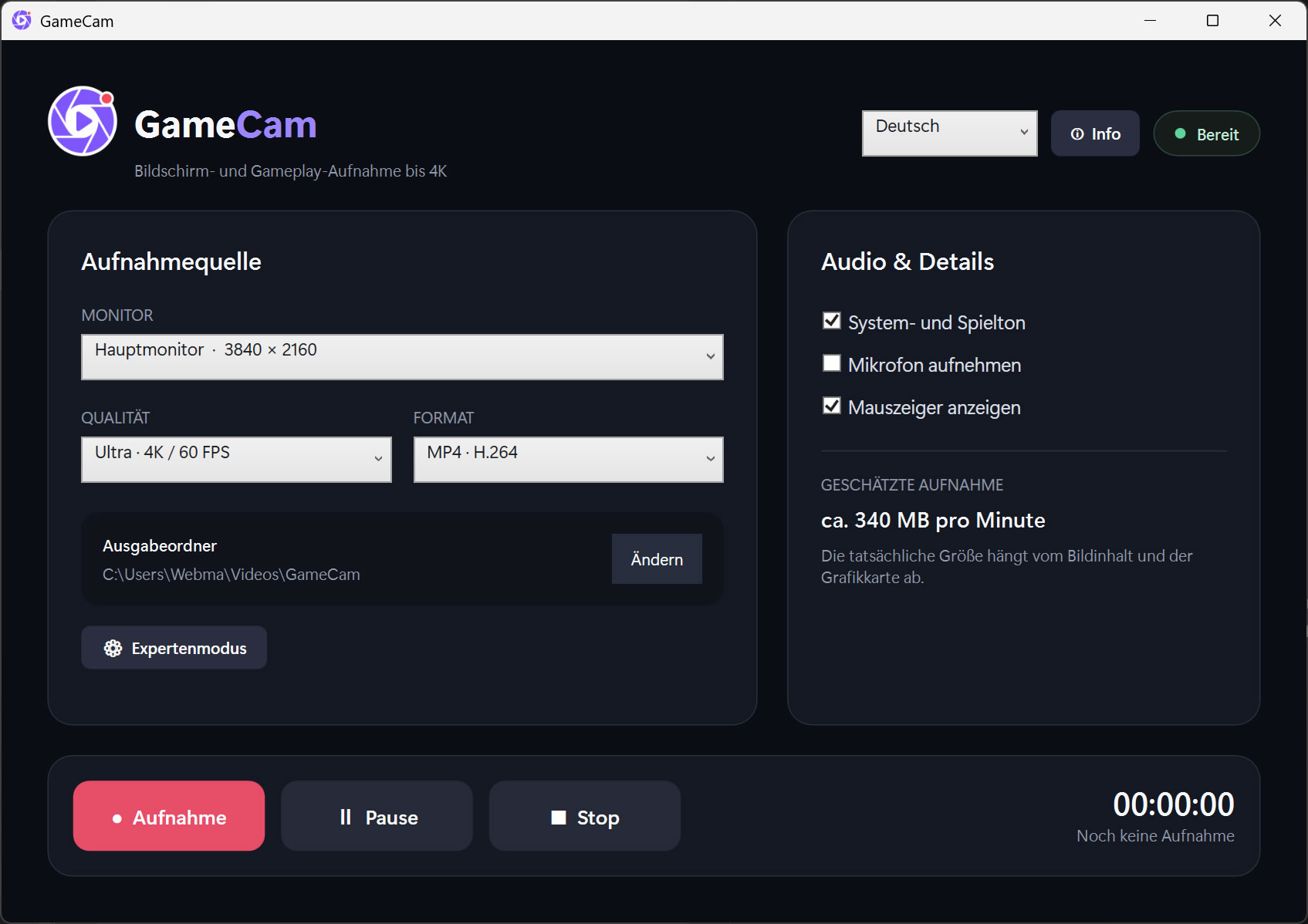
GameCam is a modern Windows recording application for capturing desktop content, applications, videos and gameplay in high quality.
The application supports recordings at up to 4K resolution, 120 frames per second and a configurable bitrate of up to 160 Mbps. System or game audio and microphone input can be recorded together or separately.
Features:
• Record a selected monitor
• Screen and gameplay recording up to 4K
• 30, 60 or 120 FPS recording
• Configurable bitrate up to 160 Mbps
• Hardware-accelerated H.264 encoding
• System and game audio recording
• Optional microphone recording
• Optional mouse cursor capture
• Record, pause, resume and stop controls
• Configurable output folder
• MP4 video output
• Expert mode for resolution, frame rate and bitrate
• Integrated monitor refresh-rate and encoder-load checks
• Multilingual user interface
• Modern and intuitive WPF design
GameCam operates entirely on the local computer. Recordings are not automatically uploaded or transferred to external services.
The application supports recordings at up to 4K resolution, 120 frames per second and a configurable bitrate of up to 160 Mbps. System or game audio and microphone input can be recorded together or separately.
Features:
• Record a selected monitor
• Screen and gameplay recording up to 4K
• 30, 60 or 120 FPS recording
• Configurable bitrate up to 160 Mbps
• Hardware-accelerated H.264 encoding
• System and game audio recording
• Optional microphone recording
• Optional mouse cursor capture
• Record, pause, resume and stop controls
• Configurable output folder
• MP4 video output
• Expert mode for resolution, frame rate and bitrate
• Integrated monitor refresh-rate and encoder-load checks
• Multilingual user interface
• Modern and intuitive WPF design
GameCam operates entirely on the local computer. Recordings are not automatically uploaded or transferred to external services.
Choose a license edition
System requirements
• Windows 10 or Windows 11, 64-bit
• x64 processor
• At least 4 GB RAM; 8 GB or more recommended
• DirectX 11 compatible graphics card
• Microsoft Media Foundation
• Visual C++ 2015–2022 Redistributable (x64)
• Sufficient free storage space for video recordings
A powerful graphics card with a hardware H.264 encoder is recommended for 4K, 60 FPS or 120 FPS recording. Actual recording performance depends on the monitor refresh rate, graphics card, game, resolution and system configuration.
• x64 processor
• At least 4 GB RAM; 8 GB or more recommended
• DirectX 11 compatible graphics card
• Microsoft Media Foundation
• Visual C++ 2015–2022 Redistributable (x64)
• Sufficient free storage space for video recordings
A powerful graphics card with a hardware H.264 encoder is recommended for 4K, 60 FPS or 120 FPS recording. Actual recording performance depends on the monitor refresh rate, graphics card, game, resolution and system configuration.