Current version: 1.2
Installation & support
Download and run the setup file with administrator privileges, then follow the installation wizard. NASCom Manager is installed completely on the local computer; no application files are downloaded from the internet during installation.
On first launch, the licensee name/company, email address and purchased serial number are required. No further license verification is performed after successful activation.
To connect to the NAS, you need the address or hostname of your Synology NAS, the DSM port and an authorized DSM user account. HTTPS and two-factor authentication are supported.
Support: support@scriptworldx.de
Website: https://scriptworldx.de
On first launch, the licensee name/company, email address and purchased serial number are required. No further license verification is performed after successful activation.
To connect to the NAS, you need the address or hostname of your Synology NAS, the DSM port and an authorized DSM user account. HTTPS and two-factor authentication are supported.
Support: support@scriptworldx.de
Website: https://scriptworldx.de
Core software
NASCom Manager
Convenient File Manager for Synology NAS
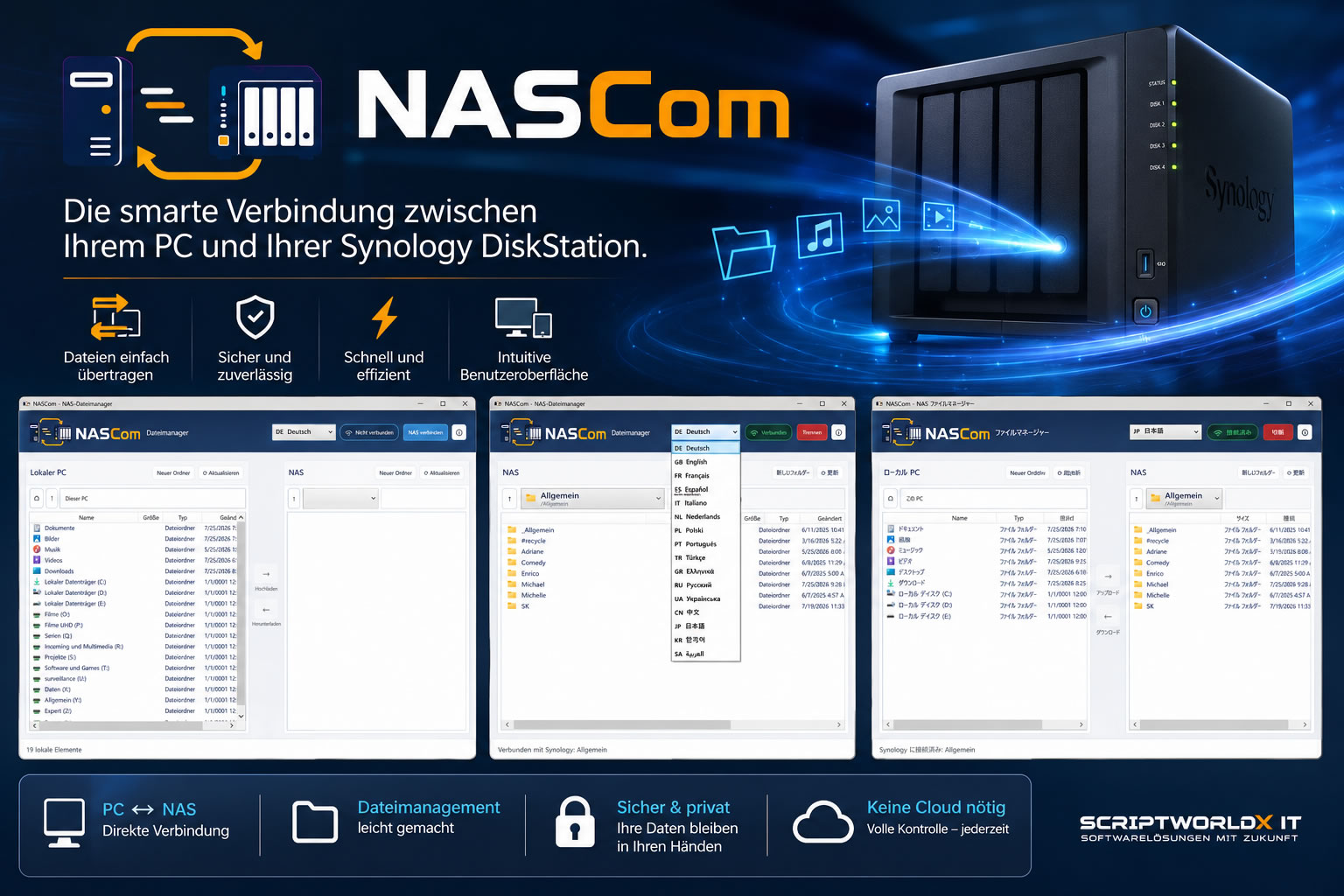
NASCom Manager connects your Windows PC to a Synology NAS and provides a convenient way to upload, download, move and manage your files.
NASCom Manager provides a convenient way to manage and transfer files between your Windows PC and a Synology NAS. Its clear dual-pane interface displays local files and NAS content side by side.
Files can be uploaded, downloaded, moved, renamed and deleted. Transfer progress, transferred data and current transfer speed are displayed during each operation.
NASCom Manager connects directly through Synology DSM and File Station. HTTPS, self-signed certificates and two-factor authentication are supported. Connection details can optionally be stored securely for the current Windows user.
NASCom Manager does not use intermediary cloud storage. Files are transferred directly between the Windows PC and the specified Synology NAS.
Features:
– clear dual-pane file management
– file uploads and downloads
– move, rename and delete operations
– transfer progress, transferred data and speed display
– HTTPS and two-factor authentication support
– selection of multiple NAS shares
– 16 available languages
– fully offline-installable Windows application
Files can be uploaded, downloaded, moved, renamed and deleted. Transfer progress, transferred data and current transfer speed are displayed during each operation.
NASCom Manager connects directly through Synology DSM and File Station. HTTPS, self-signed certificates and two-factor authentication are supported. Connection details can optionally be stored securely for the current Windows user.
NASCom Manager does not use intermediary cloud storage. Files are transferred directly between the Windows PC and the specified Synology NAS.
Features:
– clear dual-pane file management
– file uploads and downloads
– move, rename and delete operations
– transfer progress, transferred data and speed display
– HTTPS and two-factor authentication support
– selection of multiple NAS shares
– 16 available languages
– fully offline-installable Windows application
Choose a license edition
System requirements
– Windows 10 or Windows 11, 64-bit
– Synology NAS with DSM and File Station enabled
– network connection between the Windows PC and NAS
– valid user account with permission to access the selected NAS shares
– for two-factor authentication: access to the configured authenticator app
– internet connection for the initial license activation
– no separate .NET installation required
– Synology NAS with DSM and File Station enabled
– network connection between the Windows PC and NAS
– valid user account with permission to access the selected NAS shares
– for two-factor authentication: access to the configured authenticator app
– internet connection for the initial license activation
– no separate .NET installation required